Compress Image
Make photos and images smaller without visible quality loss, or squeeze them under an exact size like 100 KB. Free, unlimited and private: nothing is uploaded.
Drop your images here
JPG, PNG, WebP, HEIC or AVIF · or paste with Ctrl+V · Nothing is uploaded.
Continue with your files
- Private. Processed on your device, never uploaded.
- Free. No sign-up, no watermark, no limits.
- Everywhere. Works on phones, tablets and computers.
How to compress an image
- Pick a target. Smaller, same look works for most photos. Choose a size such as Under 200 KB when a website has an upload limit.
- Drop your images into the yellow box, click Choose images, or paste with Ctrl+V.
- Download each image, or all of them as a ZIP file.
Which setting should I use?
- Sharing or emailing photos: Smaller, same look. Most phone photos drop from 3–5 MB to under 1 MB.
- Online forms, job portals and government sites: pick the limit the site states, for example Under 200 KB or Under 100 KB.
- Websites and blogs: resize the image to the width you need first with the image resizer, then compress it here.
Why compress in the browser?
Most online compressors upload your photos to their servers. FormatBay compresses them on your own device, so personal photos, ID scans and documents stay private. It is also faster, because there is nothing to upload or download.
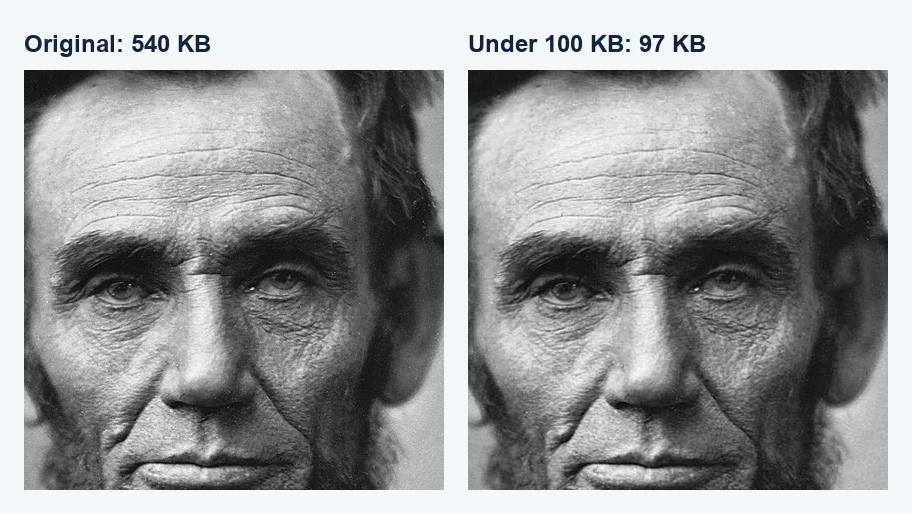
How much can an image be compressed?
- Photos from phones and cameras: usually 50–90% smaller at the recommended setting.
- Screenshots and PNG graphics: often 70–90% smaller when saved as JPG or WebP.
- Images already compressed for the web: little or no saving. FormatBay keeps the original if it cannot make it smaller.
Quality, pixels and file size
File size depends on two things: the number of pixels and how strongly they are compressed. For a target such as 100 KB, FormatBay first lowers the compression quality, and only when that is not enough does it reduce the pixel size, so you keep as much detail as possible. If you need an exact pixel size too, resize first, then compress.
Which format is smallest?
For photos, WebP is usually 25–34% smaller than JPG at the same quality, but JPG is accepted everywhere. FormatBay saves JPG by default, and WebP for images with transparency so it is kept.
Frequently asked questions
How much smaller will my images get?
Photos straight from a phone or camera usually shrink by 60–90% with the recommended setting, with no difference you can see at normal size. Images that were already compressed shrink less.
Can I compress an image to an exact size like 100 KB?
Yes. Choose a target such as Under 100 KB, or pick Custom size and type any number of kilobytes. FormatBay finds the highest quality that fits, and only reduces the pixel size if it has to.
Are my images uploaded?
No. Compression runs in your browser on your own device. Your images are never sent to FormatBay or anyone else.
Which formats can I compress?
JPG, PNG, WebP, HEIC (iPhone photos) and AVIF. Photos are saved as JPG. Images with a transparent background are saved as WebP so the transparency is kept.
Can I compress many images at once?
Yes. Select or drop as many as you like and download them one by one or together as a ZIP file.
Does it remove location data?
Yes. The compressed copy does not include the original EXIF metadata, such as GPS location and camera details.
Helpful guides
- How to remove location from photos before sharingPhotos can reveal where you live. Check and remove GPS data on iPhone, Android and computer.